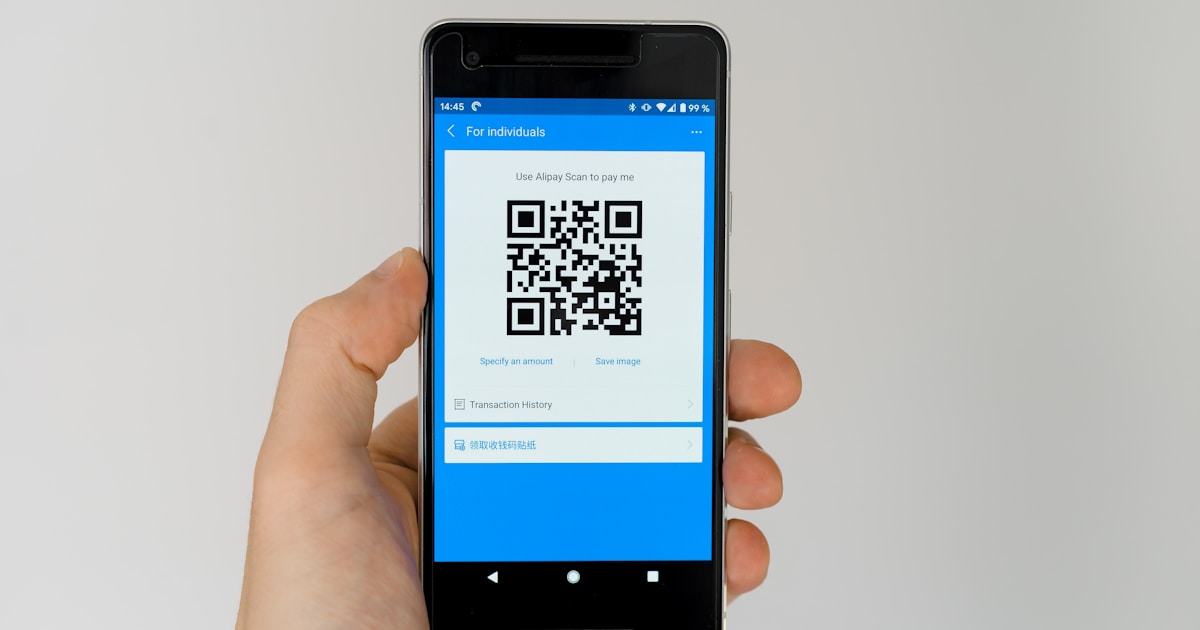
A few years ago, a friend of mine opened a small coffee shop. She wanted customers to be able to scan a code on the table to see the menu on their phones — no app download, no typing in a URL, just point and scan. She asked me how to make a QR code. I showed her our free QR code generator, and within 30 seconds she had a working code printed and laminated on every table.
QR codes went from "that weird square thing nobody uses" to absolutely everywhere during the pandemic. Restaurants, parking meters, business cards, product packaging, event tickets, Wi-Fi sharing — they're now part of daily life. And creating one is far simpler than most people realise.
What Is a QR Code?
QR stands for Quick Response. It's a two-dimensional barcode that stores information — typically a URL, but it can also contain text, email addresses, phone numbers, Wi-Fi credentials, or location data.
QR codes were invented in 1994 by Masahiro Hara at the Japanese company Denso Wave. They were originally designed to track car parts during manufacturing. The key innovation was that QR codes can be scanned from any angle and can store much more data than traditional barcodes.
How QR Codes Work
A QR code encodes data in a grid of black and white squares. The three large squares in the corners are position markers — they help your phone's camera identify and orient the code regardless of angle. The smaller patterns contain the actual data, plus error correction information that allows the code to work even if partially damaged.
QR codes can store up to:
- 7,089 numeric characters
- 4,296 alphanumeric characters
- 2,953 bytes of binary data
In practice, shorter content creates simpler (and more easily scannable) codes. A URL like "calctechlab.com/tools" creates a much cleaner code than a 500-word paragraph.
How to Create a QR Code
Using our free QR code generator:
- Enter the URL, text, or data you want to encode
- The QR code generates instantly
- Download the image (PNG format)
- Print it, share it, or embed it wherever you need
That's it. No account needed, no watermarks, completely free.
What Can You Put in a QR Code?
Website URLs
The most common use. Link to your website, a specific product page, a booking form, or a social media profile. When scanned, the phone opens the URL directly in the browser.
Plain Text
Display a message when scanned. Useful for instructions, quotes, or information that doesn't need to be online.
Email Addresses
Encode a mailto: link that opens the user's email app with a pre-filled recipient address (and optionally subject line and body text).
Phone Numbers
Encode a tel: link that lets users call a number with one tap after scanning.
Wi-Fi Credentials
Encode your Wi-Fi network name and password. Guests scan the code and connect automatically — no need to spell out a complicated password. Perfect for cafes, Airbnbs, and offices.
Location/Maps
Encode GPS coordinates that open in Google Maps or Apple Maps when scanned. Great for event venues, meeting points, or business locations.
vCard (Contact Details)
Encode your full contact details — name, phone, email, address, company. When scanned, the phone offers to save the contact directly. Much more efficient than exchanging business cards.
QR Code Uses by Industry
Restaurants and Hospitality
- Digital menus (scan to view on phone)
- Table ordering systems
- Wi-Fi access for guests
- Review requests (link to Google Reviews or TripAdvisor)
- Loyalty programme sign-ups
Retail and E-commerce
- Product information and reviews
- Discount codes and promotions
- Link to online store from physical packaging
- Warranty registration
- Authenticity verification
Events and Entertainment
- Digital tickets (scan for entry)
- Event schedules and maps
- Speaker bios and presentation slides
- Social media follow links
Business and Professional
- Digital business cards
- Link to portfolio or LinkedIn profile
- Invoice payment links (pair with our invoice generator)
- Document sharing
- Meeting room booking
Education
- Link to additional resources from textbooks
- Interactive worksheets
- Video explanations linked from printed materials
- Library book information
QR Code Best Practices
Size Matters
A QR code needs to be large enough to scan reliably:
- Minimum size: 2cm x 2cm (0.8 inches) for close-range scanning (business cards, table tents)
- Posters/signs: At least 10cm x 10cm for scanning from 1-2 metres away
- Billboards: Scale up proportionally — the scanning distance should be roughly 10x the code width
Contrast Is Essential
QR codes need high contrast to scan reliably. Black on white is ideal. Dark blue, dark green, or dark red on white also work. Avoid:
- Light colours on light backgrounds
- Yellow or light grey codes
- Busy or patterned backgrounds behind the code
- Inverting colours (white code on black background can work but is less reliable)
Always Test Before Printing
Scan your QR code with at least two different phones before printing 500 flyers. Check that it goes to the right URL and that the page loads properly on mobile.
Add a Call to Action
Don't just slap a QR code on something and hope people scan it. Add text like "Scan for menu," "Scan to connect to Wi-Fi," or "Scan for 10% off." People need a reason to scan.
Keep the URL Short
Shorter URLs create simpler QR codes that are easier to scan. If your URL is long, use a URL shortener first, then generate the QR code.
Static vs Dynamic QR Codes
Static QR codes (like the ones our generator creates) encode the data directly. The URL is baked into the code itself. Pros: always works, no dependency on third-party services. Cons: can't change the destination after printing.
Dynamic QR codes use a redirect URL — the code points to a short URL that then redirects to your actual destination. Pros: you can change where the code points without reprinting. Cons: depends on the redirect service staying online, often requires a paid subscription.
For most uses, static codes are perfectly fine. If you're printing thousands of codes and might need to change the destination, consider dynamic.
QR Code Security
QR codes themselves are safe — they're just encoded data. But the content they link to could be malicious. Be cautious about:
- Scanning random QR codes in public places — they could link to phishing sites
- Stickers placed over legitimate codes — scammers sometimes cover real QR codes with their own
- Codes that trigger automatic downloads — your phone should ask permission, but be wary
When scanning, check the URL preview before opening. Most phone cameras show the URL before you tap — make sure it looks legitimate. For keeping your accounts secure, use our password generator to create strong, unique passwords.
Try Our Free QR Code Generator
Create QR codes instantly for URLs, text, email addresses, phone numbers, or any data you need to share. Our free QR code generator requires no sign-up, adds no watermarks, and produces high-quality downloadable images.
Frequently Asked Questions
Are QR codes free to create?
Yes. Our QR code generator is completely free with no limits. You can create as many codes as you need.
Do QR codes expire?
Static QR codes never expire — the data is encoded directly in the image. Dynamic QR codes (from paid services) may expire if the redirect service is discontinued.
Can I customise the colour of a QR code?
Yes, as long as you maintain high contrast. Dark colours on a light background work best. Avoid light-on-light or low-contrast combinations.
What's the maximum data a QR code can store?
Up to 7,089 numeric characters or 4,296 alphanumeric characters. In practice, keep content short for better scannability.
Do I need a special app to scan QR codes?
No. All modern smartphones (iPhone and Android) can scan QR codes using the built-in camera app. Just point your camera at the code and tap the notification that appears.
Can QR codes be dangerous?
The code itself is harmless — it's just encoded data. But it could link to a malicious website. Always check the URL preview before opening, especially for codes in public places.
Comments
No comments yet. Be the first to comment!
Leave a Comment